

Think Vault Guide
Create & Manage Passwords
Organize credentials with folders, security groups, and role-based access.
Prerequisites
You must be a Site Deluxe Administrator to create folders and security groups.
Key Concepts
Before creating passwords, understand how access control works:
- Password Folders organize and secure groups of passwords. Access is controlled by Security Groups.
- If a password is created without a folder, all users can see it.
- If a folder has no Security Groups assigned, all users can access its passwords.
- Security Groups are collections of users that you assign to folders to restrict access.
The Workflow
Setting up a secured password folder takes three steps:
- Create a Security Group and add users to it
- Create a Password Folder and assign the Security Group
- Create passwords inside the folder
Step 1: Create a Security Group
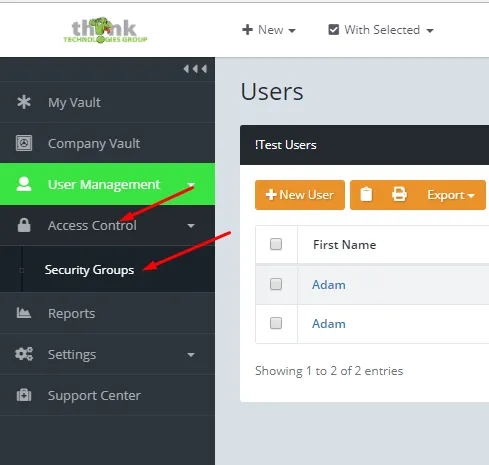
- Log in to the Think Vault web portal.
- Click Access Control → Security Groups.
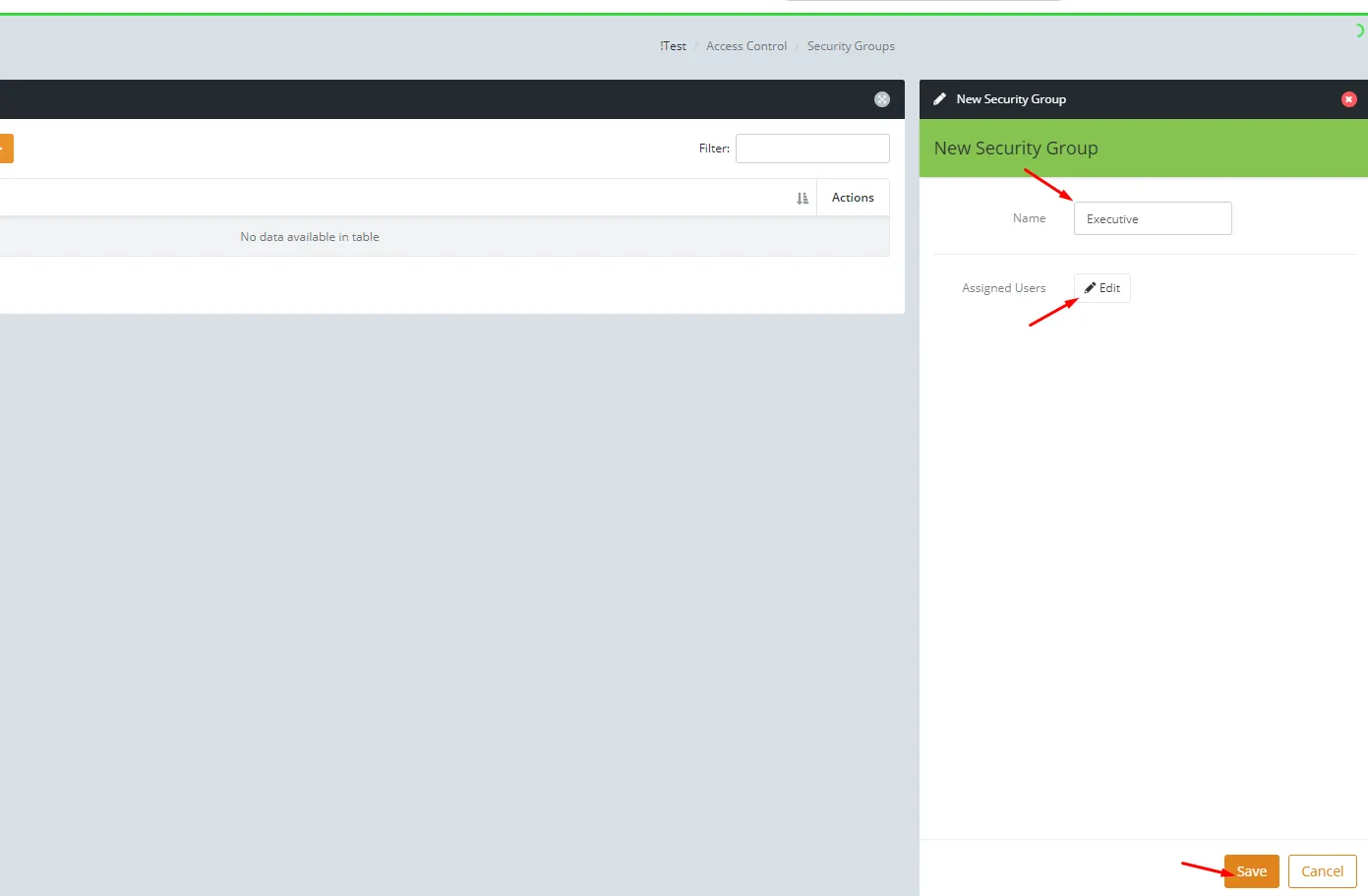
- Click New Security Group, enter a name (usually matching the department or folder it will secure), click Edit to assign users, then click Save.
Step 2: Create a Password Folder
- Click Company Vault in the left sidebar.
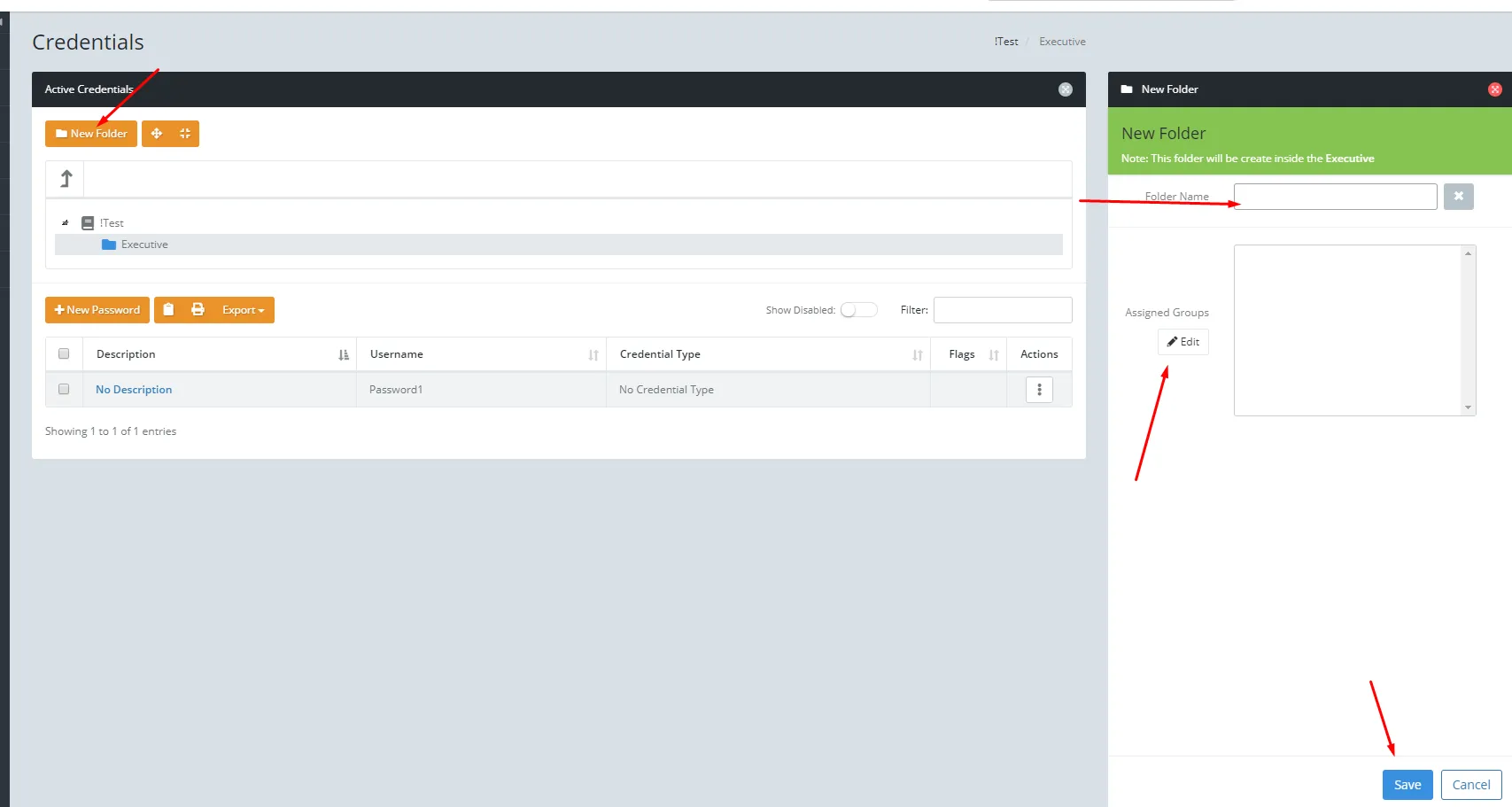
- Click New Folder on the right.
- Enter a name for the folder.
- Click Edit under Assigned Groups and select the Security Group you just created.
- Click Save.
Step 3: Create a Password
- Click Company Vault in the left sidebar.
- Click the folder you want to add the password to.
- Click New Password.
- Fill in the details:
- Verify the Folder is correct
- Enter the Username and Password
- Write a clear Description (this is the name you will see in the list)
- Choose a credential Type
- If the password is for a website, paste the URL of the actual login page
- Add any Notes you find useful
- Click Create.
Tip: After creating your first password in a secured folder, ask a colleague who has access to that folder to confirm they can see it. This verifies your Security Group setup is working correctly.
Need help with Think Vault?
Your dedicated consultant can walk you through setup, permissions, or anything else.